Creating and Setting Materials
pyddg provides utilities to work with simple Blender materials.
Warning
All our utilities only create and work with materials consisting of a single Principled BSDF node.
Quick start
To create and set materials of Blender objects one can use:
import bpy

import ddg

# Make the viewport display a render preview. You can select different shading
# methods in the top right corner of the viewport.
bpy.data.screens["Layout"].areas[-1].spaces[0].shading.type = "RENDERED"

# Delete the default cube, camera and light.
ddg.blender.scene.clear()

dodecahedron = ddg.halfedge.dodecahedron()

bobj_1 = ddg.blender.convert(dodecahedron, "dodecahedron_1")
mat_1 = ddg.blender.material.material()
ddg.blender.material.set_material(bobj_1, mat_1)
One can also set any existing material by refering to its name. If the material does not exist, a new one is created with default parameters.
ddg.blender.material.set_material(bobj_1, "My Material")
More options at creation
One can set basic properties of the materials this way:
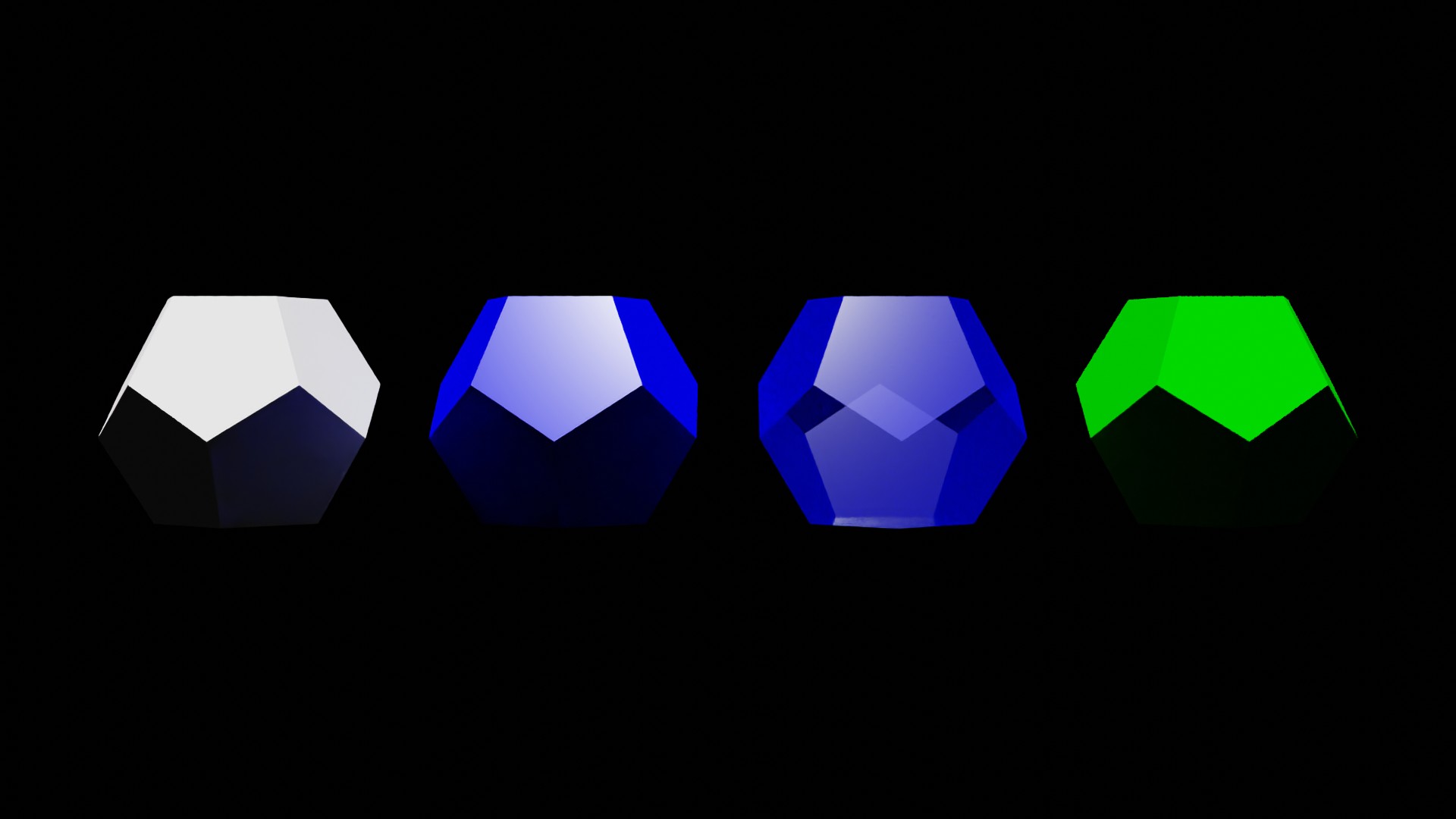
bobj_2 = ddg.blender.convert(dodecahedron, "dodecahedron_2")
bobj_2.location = (4, 0, 0)
mat_2 = ddg.blender.material.material(
    name="Custom Material", color=(0, 0, 1), specular=1, roughness=0.1, alpha=1
)
ddg.blender.material.set_material(bobj_2, mat_2)
Color
The color argument sets the color as a (red, green, blue) tuple with values between 0 and 1. So (1, 0, 0) is red and (0, 1, 1) is cyan.
Shininess
The specular value is a mesure of the shininess, while the roughness quantifies how sharp this shininess appears. It is best to play with these parameters to get a feeling for their effects.
Transparency
The alpha argument sets the opacity of the material.
bobj_3 = ddg.blender.convert(dodecahedron, "dodecahedron_3")
bobj_3.location = (8, 0, 0)
mat_3 = ddg.blender.material.material(
    name="Transparent Material", color=(0, 0, 1), specular=1, roughness=0.1, alpha=0.3
)
ddg.blender.material.set_material(bobj_3, mat_3)
Modifying materials
Arbitrary input parameters of the BSDF node of a material can be changed this way:
bobj_4 = ddg.blender.convert(dodecahedron, "dodecahedron_4")
bobj_4.location = (12, 0, 0)
mat_4 = ddg.blender.material.material(
    name="Material 4", color=(0, 0, 1), specular=1, roughness=0.1, alpha=0.3
)
ddg.blender.material.set_material(bobj_4, mat_4)
ddg.blender.material.set_value(mat_4, "base color", (0, 0.5, 0, 1))
ddg.blender.material.set_value(mat_4, "specular", 0)
ddg.blender.material.set_value(mat_4, "alpha", 1)
Rendered output
We can add a camera and light and render the image. The objects are displayed in the order they were introduced from left to right.
camera = ddg.blender.camera.camera("Camera", "PERSP", (6, -21, 13.5))
camera.rotation_euler.x = 1.0
camera.rotation_euler.y = 0
camera.rotation_euler.z = 0

light = ddg.blender.light.light("Light", "SUN", (0, 0, 10))
ddg.blender.render.set_world_background(strength=0)
ddg.blender.render.setup_cycles_renderer(samples=4)