Visualizing Nets
See also
Visualizing ddg objects in Blender for a
general guide on visualization of ddg objects in Blender and
usage of to_blender_object()
and to_blender_object_helper().
For visualization in Blender, a SmoothNet
(or a SmoothCurve),
has to be converted to a DiscreteNet (or a
DiscreteCurve), which is achieved by sampling.
This can be done manually, using to_smooth_net(),
and the DiscreteNet
can be handed to to_blender_object(). Alternatively,
the SmoothNet can be handed to
to_blender_object_helper() which combines the
sampling and the call of to_blender_object().
Using to_blender_object
A SmoothNet can be converted to a
DiscreteNet via sampling. The sampling is passed to the function
sample_smooth_net.
>>> import ddg

>>> snet = ddg.nets.net_generators.spheres_and_circles.circle((0, 0, 0), 1)
>>> dnet = ddg.sample_smooth_net(snet, sampling=[0.5, 10, "c"])
See also
The DiscreteNet can be visualized:
>>> blender_object = ddg.to_blender_object(dnet)
See also
General arguments of the function to_blender_object() can
be found in its api documentation: to_blender_object().
Depending on the type of the DiscreteNet (DiscreteNet,
DiscreteCurve, PointNet),
additional arguments can be given to to_blender_object():
Options for DiscreteNet:
- boundingint (default=10)
Used to bound unbounded domains of nets.
- only_wirebool (default=False)
When True, only the wireframe of the net will be created.
Options for DiscreteCurve:
- boundingint (default=10)
Used to bound unbounded domains of nets.
- curve_typestring (default=’POLY’)
Blender curve type. See the Blender docs for all available types.
- curve_propertiesdictionary (default={‘bevel_depth’: 0.015})
Dictionary containing Blender curve properties. See the Blender docs for all available properties.
Options for PointNet:
- sphere_radiusfloat (default=0)
Radius of the sphere representing a point.
- sphere_subdivisionint (default=3)
How many subdivisions will be applied to the sphere.
Using to_blender_object_helper
The function to_blender_object_helper()
combines the following
easy handling of commonly used keyword arguments
conversion to objects that can be visualized
calling the function
to_blender_object().
A SmoothNet can be handed directly to
to_blender_object_helper() together with a
sampling.
>>> blender_object = ddg.to_blender_object_helper(snet, sampling=[0.5, 10, "c"])
See also
General arguments of the function to_blender_object_helper() can
be found in its api documentation: to_blender_object_helper().
Depending on the type of net additional arguments can be handed over or might be required:
Options for SmoothNet:
- samplinglist, int or float
See
ddg.datastructures.nets.conversion.sample_smooth_domain().- anchorlist or None
Anchor point for sampling process.
- atollist, int or float
Tolerance(s) for sampling process.
Options for DiscreteNet:
- boundingint (default=10)
Used to bound unbounded domains of nets.
- only_wirebool (default=False)
When True, only the wireframe of the net will be created.
Options for DiscreteCurve:
- boundingint (default=10)
Used to bound unbounded domains of nets.
- curve_typestring (default=’POLY’)
Blender curve type. See the Blender docs for all available types.
- curve_propertiesdictionary (default={‘bevel_depth’: 0.015})
Dictionary containing Blender curve properties. See the Blender docs for all available properties.
Options for PointNet:
- sphere_radiusfloat (default=0)
Radius of the sphere representing a point.
- sphere_subdivisionint (default=3)
How many subdivisions will be applied to the sphere.
Nets with depth need to be handled with care:
Warnings
This function can only handle DiscreteNets and DiscreteCurves as nets with depth. Not supported for SmoothNets and SmoothCurves. Also in the case of DiscreteNets and DiscreteCurves the net must consist of either
EmptyNets
PointNets
DiscreteNets
Half-edge Objects
Collections of either
Examples
The general process for visualizing nets was outlined above. In this section, we give examples for some extra functionality. We start with bounding boxes:
While in our library, DiscreteNets and DiscreteCurves are more or less the same thing,
they result in different objects, Blender Meshes and Blender Curves, after conversion. In particular, mesh and bmesh
transformations can not be applied to curves. To cut an object inside a bounding box, we
need to use ddg.visualization.blender.bmesh.cut_bounding_box() for 2D
DiscreteNet objects but
ddg.datastructures.nets.utils.cut_bounding_box() for
DiscreteCurve objects. These work quite
differently: The first is applied after conversion to the Blender Mesh and the second to the DiscreteCurve, before
conversion to Blender.
Let’s see an example for each of these cases. Let’s start with curves:
We will start with a simple helix curve. Here we simply define a function that
parametrizes the helix and then form the curve using
SmoothCurve (you can also use SmoothNet,
which will return a SmoothCurve automatically). We convert this smooth curve to a
DiscreteNet by using
sample_smooth_net(). The net is then
converted to blender_object using
to_blender_object().
>>> import numpy as np

>>> def helix_parametrization(t):
...     return np.array([np.cos(t), np.sin(t), 0.1 * t])
...

>>> helix_smooth = ddg.SmoothCurve(helix_parametrization, [-np.inf, np.inf])
>>> helix_discrete = ddg.sample_smooth_net(helix_smooth, sampling=[0.1, 500, "c"])
>>> bobj = ddg.to_blender_object(helix_discrete)
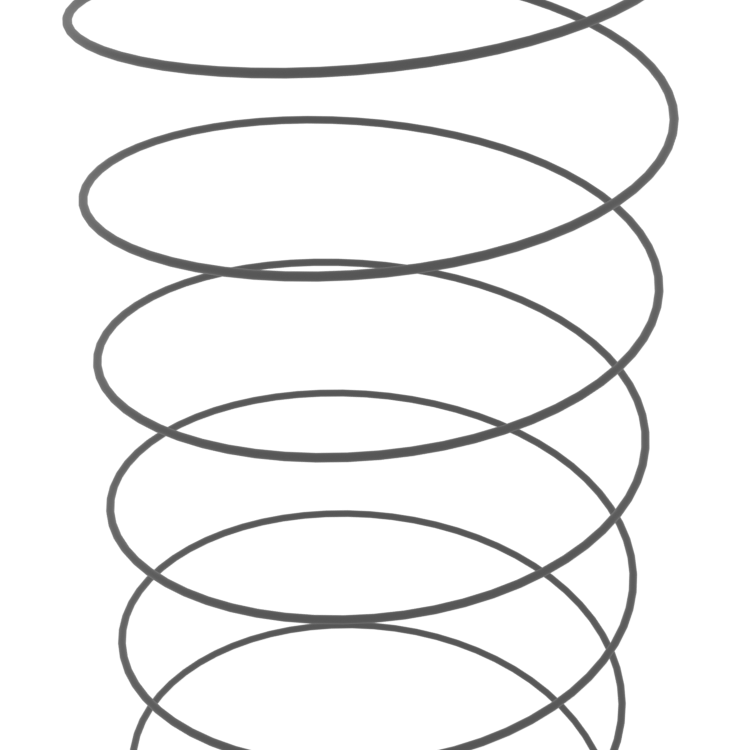
Right now, the length of the helix is determined by the sampling somehow, but an
easier way to gain more control over this is to use
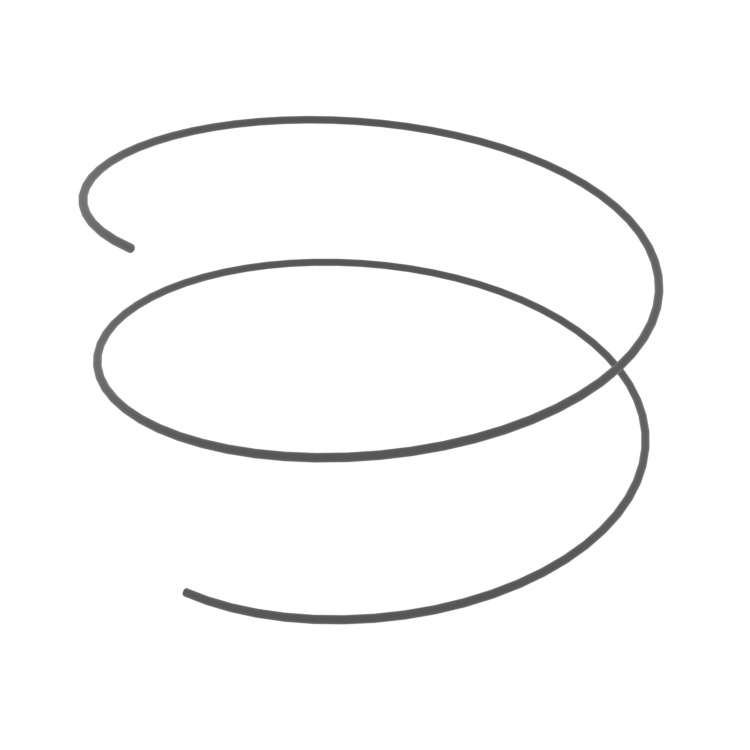
ddg.datastructures.nets.utils.cut_bounding_box(). For example, we might only
want to only see two turns of the helix:
>>> helix_bounded = ddg.datastructures.nets.utils.cut_bounding_box(
...     helix_discrete, (np.inf, np.inf, 2 * 0.1 * np.pi)
... )
>>> bobj_bounded = ddg.to_blender_object(helix_bounded)
The 3-tuple \((a, b, c)\) means that the curve will be intersected with the axis-parallel, centered at 0 cuboid \([-a, a] \times [-b, b] \times [-c, c]\). We get the following picture:
Let’s do the same thing but with a surface instead of a curve. Sticking with the helical theme:
>>> def helicoid_parametrization(u, v):
...     return np.array([u * np.cos(v), u * np.sin(v), 0.2 * v])
...

>>> helicoid_smooth = ddg.SmoothNet(
...     helicoid_parametrization, [[-np.inf, np.inf], [-np.inf, np.inf]]
... )
>>> helicoid_discrete = ddg.sample_smooth_net(
...     helicoid_smooth, sampling=[0.02, 300, "c"]
... )
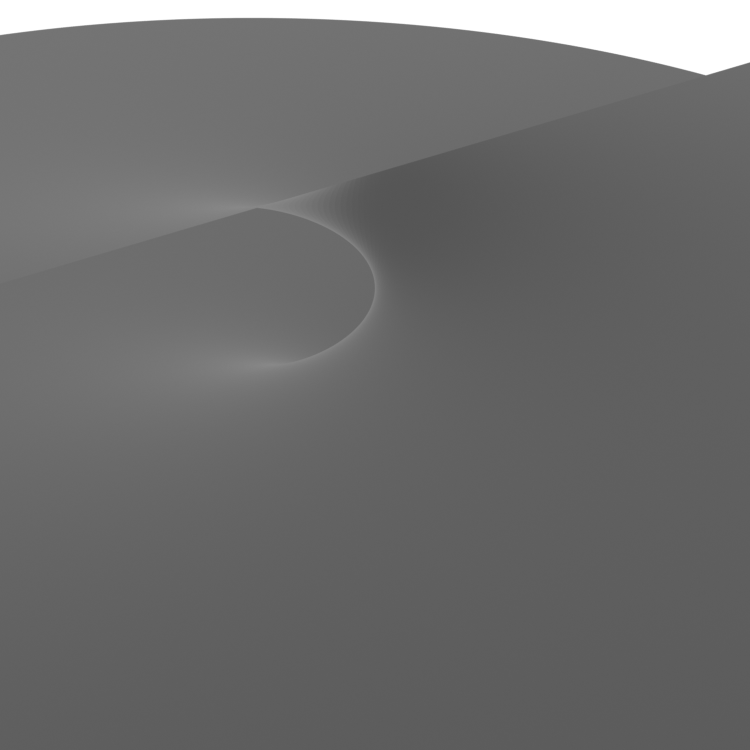
>>> bobj = ddg.to_blender_object(helicoid_discrete)
produces the following not so useful image:
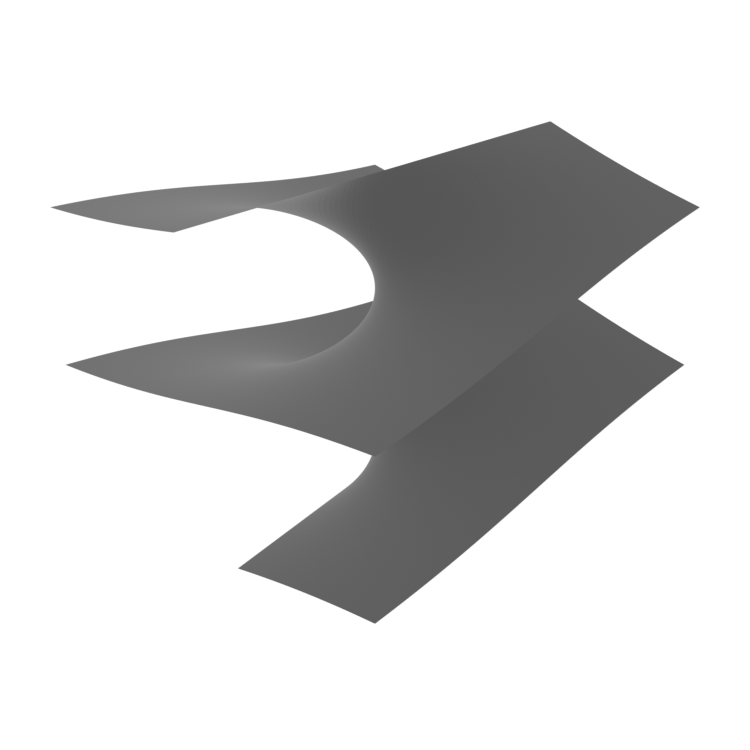
Let’s bound the surface so we can actually see something. In the case of surfaces we
have to use ddg.visualization.blender.bmesh.cut_bounding_box() as a bmesh
transformation:
>>> import functools
>>> bounding_box_trafo = functools.partial(
...     ddg.visualization.blender.bmesh.cut_bounding_box,
...     distances=np.array([0.8, 0.8, 2 * 0.2 * np.pi]),
...     center=np.array([0, 0, -0.2]),
... )
>>> bobj_bounded = ddg.to_blender_object(
...     helicoid_discrete, bmesh_transformations=[bounding_box_trafo]
... )
Doing this, we get this somewhat better image:
For convenience, we also have the helper function
to_blender_object_helper() to implicitly
render SmoothNet (or
SmoothCurve) directly,
without converting it to DiscreteNet
objects first.
All the steps to render the helix can alternatively be
done using to_blender_object_helper()
by doing the following:
>>> def helix_parametrization(t):
...     return np.array([np.cos(t), np.sin(t), 0.1 * t])
...

>>> helix_smooth = ddg.SmoothCurve(helix_parametrization, [-np.inf, np.inf])
>>> bobj_bounded = ddg.to_blender_object_helper(
...     helix_smooth,
...     sampling=[0.1, 500, "c"],
...     bounding_box=[np.inf, np.inf, 2 * 0.1 * np.pi],
... )
Additionally, the helicoid is analogously rendered by:
>>> def helicoid_parametrization(u, v):
...     return np.array([u * np.cos(v), u * np.sin(v), 0.2 * v])
...

>>> helicoid_smooth = ddg.SmoothNet(
...     helicoid_parametrization, [[-np.inf, np.inf], [-np.inf, np.inf]]
... )
>>> bobj_bounded = ddg.to_blender_object_helper(
...     helicoid_smooth,
...     sampling=[0.02, 300, "c"],
...     bounding_box=[0.8, 0.8, 2 * 0.2 * np.pi],
... )
Note
For SmoothNet, to_blender_object_helper() only supports bounding box centered at \((0,0,0)\).