Visualizing Subspaces
See also
Visualizing ddg objects in Blender for a
general guide on visualization of ddg objects in Blender and
usage of to_blender_object()
and to_blender_object_helper().
For visualization in Blender, a Subspace needs to be
converted to a
SmoothNet
(SmoothCurve).
This has to be converted to a DiscreteNet (or a
DiscreteCurve), which is achieved by sampling.
This conversion and sampling can be done
manually and the DiscreteNet
can be handed to to_blender_object(). Alternatively,
Subspace can be handed to
to_blender_object_helper() which combines the
conversion, the sampling and the call of to_blender_object().
Using to_blender_object
A Subspace can be converted to a
SmoothNet that can be sampled to a
DiscreteNet. The function
sample_smooth_net
requires a sampling.
>>> import ddg

>>> points = [[1, 0, 0, 1], [0, 1, 0, 1]]
>>> subspace = ddg.geometry.subspaces.Subspace(*points)
>>> snet = ddg.to_smooth_net(subspace, affine=True, convex=True)
>>> dnet = ddg.sample_smooth_net(snet, sampling=[0.5, 10, "c"])
Note
When using to_smooth_net for visualization, the common defaults are
affine=True and convex=True.
The DiscreteNet can be visualized:
>>> blender_object = ddg.to_blender_object(dnet)
General arguments of the function to_blender_object() can
be found in its api documentation: to_blender_object().
There are additional arguments for the DiscreteNets depending on the dimension of the Subspace:
Options for DiscreteNet:
- boundingint (default=10)
Used to bound unbounded domains of nets.
- only_wirebool (default=False)
When True, only the wireframe of the net will be created.
Options for DiscreteCurve:
- boundingint (default=10)
Used to bound unbounded domains of nets.
- curve_typestring (default=’POLY’)
Blender curve type. See the Blender docs for all available types.
- curve_propertiesdictionary (default={‘bevel_depth’: 0.015})
Dictionary containing Blender curve properties. See the Blender docs for all available properties.
Options for PointNet:
- sphere_radiusfloat (default=0)
Radius of the sphere representing a point.
- sphere_subdivisionint (default=3)
How many subdivisions will be applied to the sphere.
See also
Using to_blender_object_helper
The function to_blender_object_helper()
combines the following
easy handling of commonly used keyword arguments
conversion to objects that can be visualized
calling the function
to_blender_object().
A Subspace can be handed directly to
to_blender_object_helper() together with a
sampling.
>>> blender_object = ddg.to_blender_object_helper(subspace, sampling=[0.5, 10, "c"])
General arguments of the function to_blender_object_helper() can
be found in its api documentation: to_blender_object_helper().
There are additional arguments for Subspaces and further for the (converted) nets depending on the dimension of the Subspace:
Options for Subspaces:
- convexbool (default=True)
Whether to use convex parametrization (see
subspace_to_smooth_net()).- affinebool (default=True)
Whether the resulting smooth net should return homogeneous or affine coordinates (see
subspace_to_smooth_net()).- domainlist or SmoothDomain (default=None)
Optionally a domain to assign to the SmoothNet (see
ddg.datastructures.nets.utils.create_subdomain(),to_smooth_net()).
Options for SmoothNet:
- samplinglist, int or float
See
ddg.datastructures.nets.conversion.sample_smooth_domain().- anchorlist or None
Anchor point for sampling process.
- atollist, int or float
Tolerance(s) for sampling process.
Options for DiscreteNet:
- boundingint (default=10)
Used to bound unbounded domains of nets.
- only_wirebool (default=False)
When True, only the wireframe of the net will be created.
Options for DiscreteCurve:
- boundingint (default=10)
Used to bound unbounded domains of nets.
- curve_typestring (default=’POLY’)
Blender curve type. See the Blender docs for all available types.
- curve_propertiesdictionary (default={‘bevel_depth’: 0.015})
Dictionary containing Blender curve properties. See the Blender docs for all available properties.
Options for PointNet:
- sphere_radiusfloat (default=0)
Radius of the sphere representing a point.
- sphere_subdivisionint (default=3)
How many subdivisions will be applied to the sphere.
See also
Examples
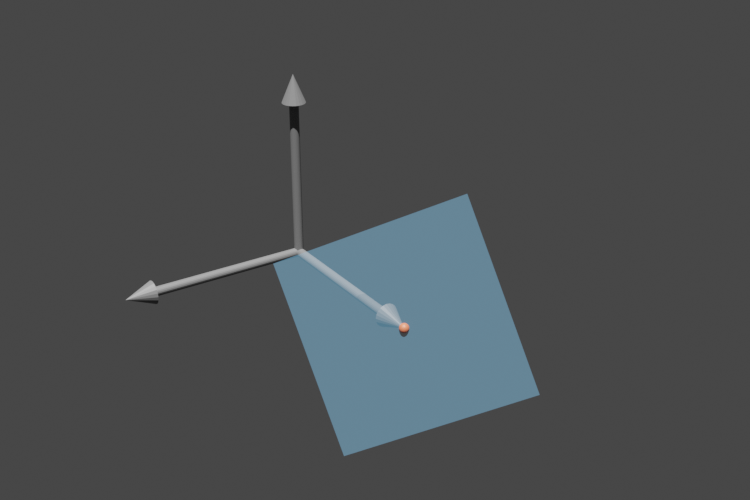
Here are some example code snippets and the images they produce.
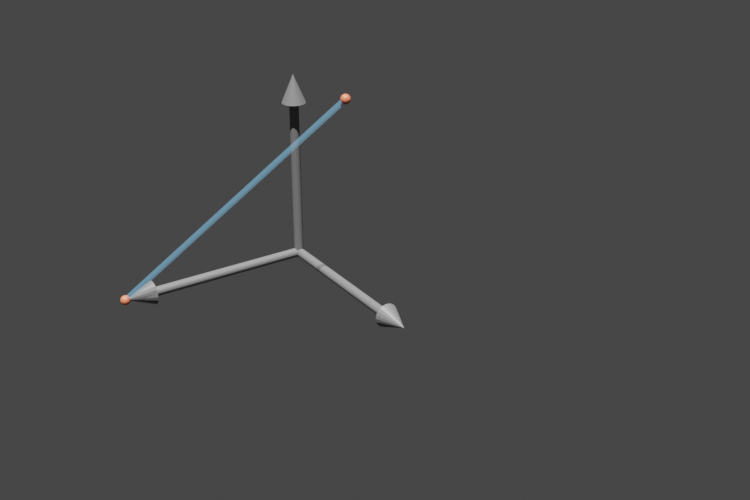
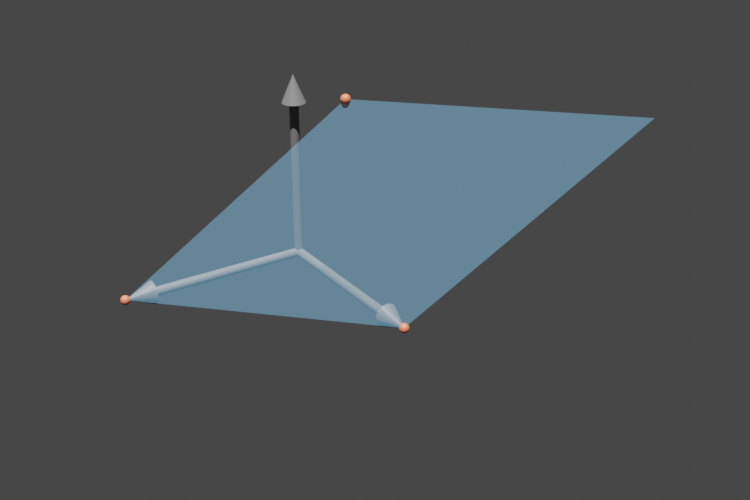
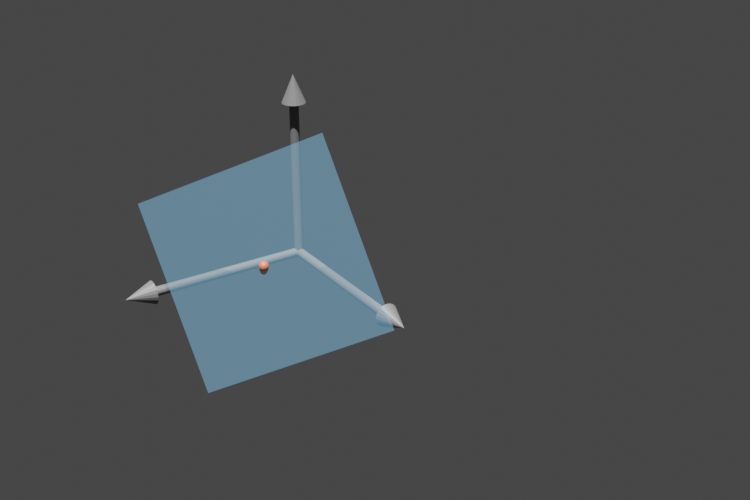
The orange balls are all points in subspace.points that are not at infinity.
For more information about Subspace.orthonormalize(),
Subspace.center() and Subspace.dehomogenize(),
see the subspaces user’s guide.
>>> s = ddg.geometry.subspaces.Subspace([1, 0, 0, 1], [0, 0.5, 1, 1])
>>> bobj = ddg.to_blender_object_helper(s, sampling=[0.1, 40, "c"], domain=[[0, 1]])
>>> s = ddg.geometry.subspaces.Subspace([1, 0, 0, 1], [0, 1, 0, 1], [0, 0.5, 1, 1])
>>> bobj = ddg.to_blender_object_helper(
...     s, sampling=[0.1, 40, "c"], domain=[[0, 1], [0, 1]]
... )
>>> s = ddg.geometry.subspaces.Subspace([1, 0, 0, 1], [0, 1, 0, 1], [0, 0.5, 1, 1])
>>> s = s.orthonormalize()
>>> bobj = ddg.to_blender_object_helper(
...     s, sampling=[0.1, 40, "c"], domain=[[-0.5, 0.5], [-0.5, 0.5]]
... )
>>> s = ddg.geometry.subspaces.Subspace([1, 0, 0, 1], [0, 1, 0, 1], [0, 0.5, 1, 1])
>>> s = s.orthonormalize()
>>> s = s.center([0, 1, 0])
>>> bobj = ddg.to_blender_object_helper(
...     s, sampling=[0.1, 40, "c"], domain=[[-0.5, 0.5], [-0.5, 0.5]]
... )