Visualizing Halfedge Objects
See also
Visualizing ddg objects in Blender for a
general guide on visualization of ddg objects in Blender and
usage of to_blender_object()
and to_blender_object_helper().
For visualization in Blender, a Surface
can be passed directly to
to_blender_object(), provided the vertices have
an attribute that stores the coordinates.
It can also be visualized using to_blender_object_helper(), which allows easier handling of commonly used keyword arguments.
Using to_blender_object
The visualization of Surface objects is straight
forward:
>>> import ddg

>>> cube = ddg.halfedge.surface_generator.cube()
>>> bobj = ddg.to_blender_object(cube, co_attr="co")
General arguments of the function to_blender_object() can
be found in its api documentation: to_blender_object().
An additional argument referencing the name of the vertex attribute storing the coordinates may be used for halfedge objects:
Options for HalfEdge surfaces:
- co_attrstr (default=’co’)
The name of the vertex attribute that contains the coordinates.
The default is co which is also the default for objects generated by the library,
for example the cube.
See also
Using to_blender_object_helper
The function to_blender_object_helper()
combines the following
easy handling of commonly used keyword arguments
conversion to objects that can be visualized (not necessary for halfedge objects)
calling the function
to_blender_object().
>>> bobj = ddg.to_blender_object_helper(cube, co_attr="co")
General arguments of the function to_blender_object_helper() can
be found in its api documentation: to_blender_object_helper().
An additional argument referencing the name of the vertex attribute storing the coordinates may be used for halfedge objects:
Options for Half-Edge:
- co_attrstr (default=’co’)
Name of the vertex attribute that stores the coordinates.
See also
Examples
>>> import numpy as np

>>> blue = ddg.visualization.blender.material.material("blue", color=(0, 0.15, 1))

>>> triangle = ddg.halfedge.surface_generator.disc(3)
>>> bobj_t = ddg.to_blender_object_helper(triangle, material=blue)

>>> hull = ddg.halfedge.surface_generator.convexhull_3d(np.random.random((8, 3)))
>>> bobj_h = ddg.to_blender_object_helper(hull, material=blue, location=(2, 0, 0))

Note that in this case material=blue passes the Blender Material directly. We could also pass the name of the material instead of the material itself with material="blue".
Tubes and Spheres
Next to the standard conversion to blender, for half-edge objects there exists a function
hes_to_tubes_and_spheres_blender_object() that converts a half-edge object to
an empty Blender object that functions as a parent object for cylinders representing the edges and spheres representing
the vertices.
By default the name of the vertex attribute of the initial half-edge object storing the coordinates is 'co'.
The function hes_to_tubes_and_spheres_blender_object() also
allows adaption of the cylinders and spheres as keyword arguments (see also in the half-edge users guide). Further it has the
keyword arguments parent_kwargs={}, kwargs_generator=None.
The first one, parent_kwargs, is a dictionary handed over to to_blender_object()
that allows modification of the empty parent object.
The second one, kwargs_generator is either a None or a function.
This function takes a cell and returns a dictionary of
keyword arguments supplied to to_blender_object() when visualizing the cell as a cylinder
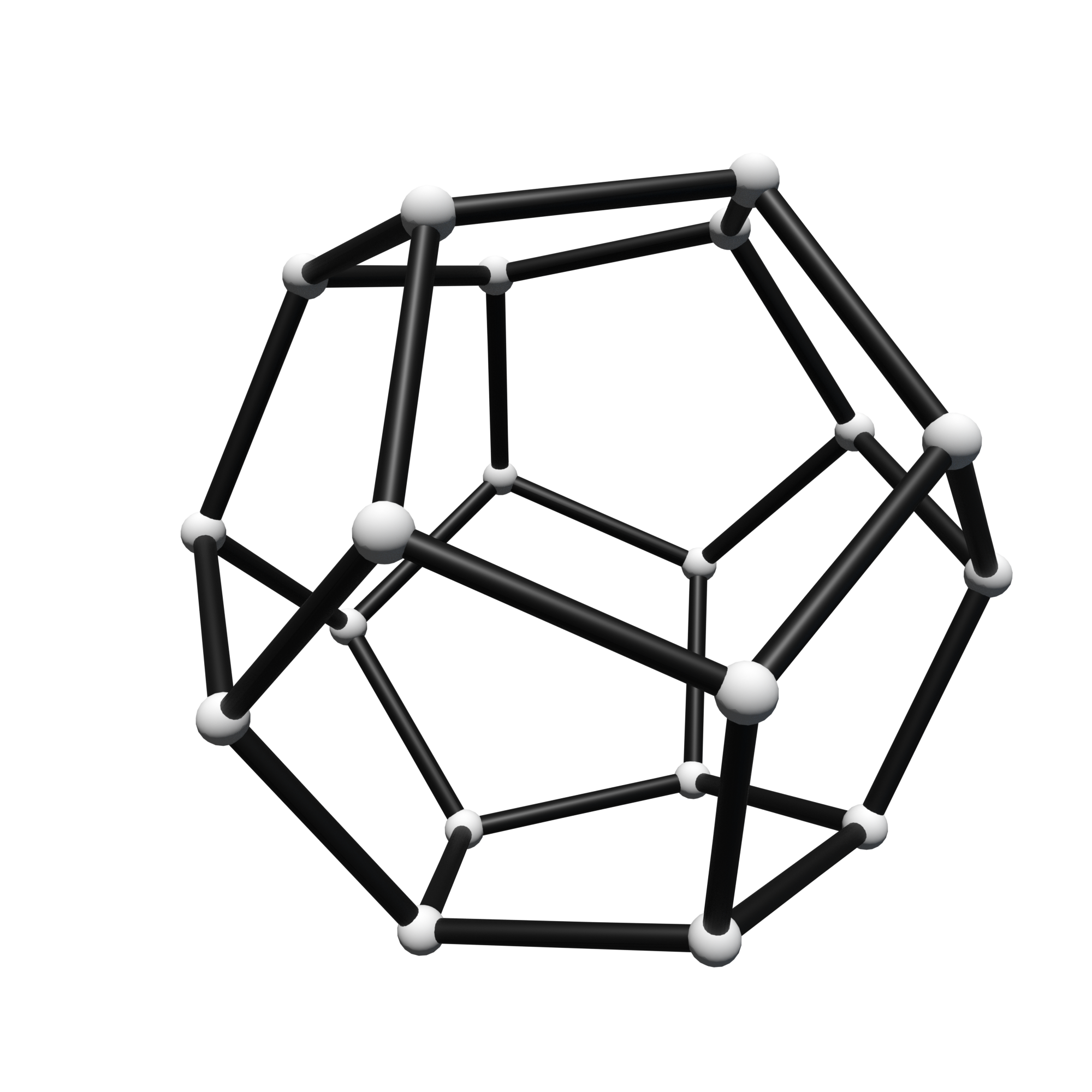
or a sphere:
>>> import ddg

>>> dodecahedron = ddg.halfedge.surface_generator.dodecahedron()

>>> black = ddg.visualization.blender.material.material("black", color=(0, 0, 0))
>>> white = ddg.visualization.blender.material.material("white", color=(1, 1, 1))

>>> def kwgen(cell):
...     hds = cell.surf
...     if isinstance(cell, hds.verts):
...         material = "white"
...     elif isinstance(cell, hds.edges):
...         material = "black"
...     return {"material": material}
...

>>> bobj = ddg.conversion.blender.halfedge.hes_to_tubes_and_spheres_blender_object(
...     dodecahedron,
...     kwargs_generator=kwgen,
... )
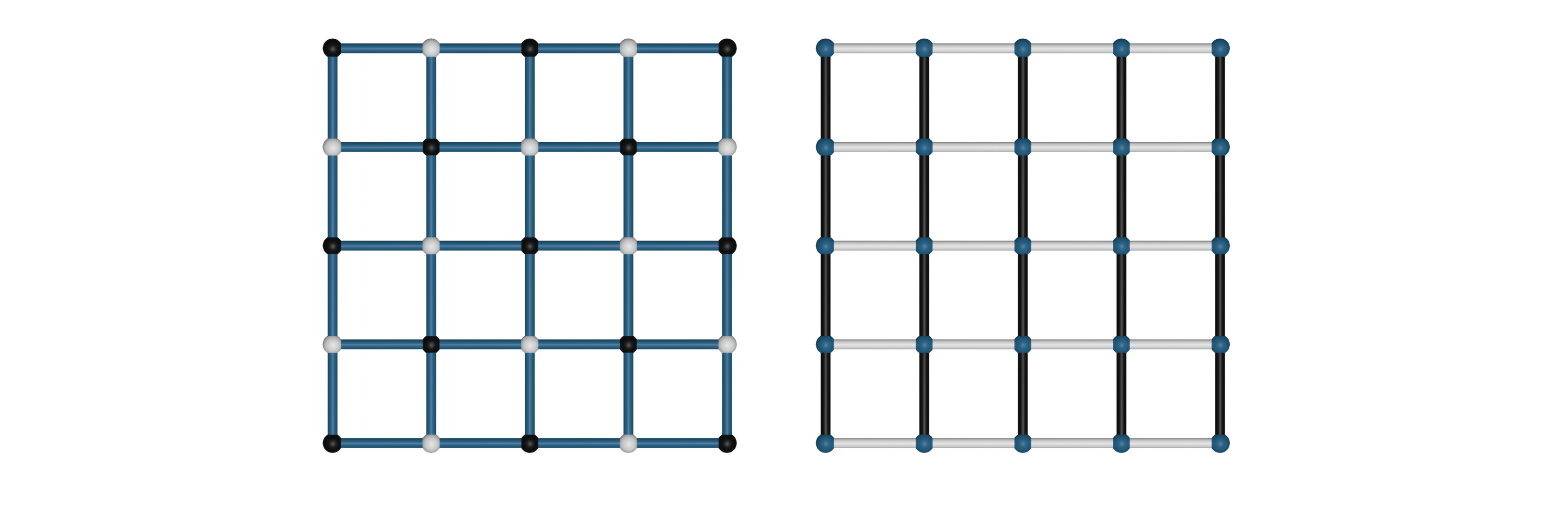
Another common example is using the function to visualize the bi-coloring described in the half-edge users guide for example by
>>> import ddg

>>> grid = ddg.halfedge.surface_generator.grid(4, 4)

>>> black = ddg.visualization.blender.material.material("black", color=(0, 0, 0))
>>> white = ddg.visualization.blender.material.material("white", color=(1, 1, 1))
>>> blue = ddg.visualization.blender.material.material("blue", color=(0, 0, 0.5))

>>> def kwargs_generator_bicoloring(cell, cell_type):
...     hds = cell.surf
...     if isinstance(cell, getattr(hds, cell_type)):
...         material = cell.color
...     else:
...         material = "blue"
...     return {"material": material}
...

>>> v1, v2 = ddg.halfedge.set.bicolor_vertices(grid, colors=["black", "white"])
>>> bobj1 = ddg.conversion.blender.halfedge.hes_to_tubes_and_spheres_blender_object(
...     grid,
...     kwargs_generator=lambda cell: kwargs_generator_bicoloring(cell, "verts"),
... )

>>> e1, e2 = ddg.halfedge.set.bicolor_edges(grid, colors=["black", "white"])
>>> bobj2 = ddg.conversion.blender.halfedge.hes_to_tubes_and_spheres_blender_object(
...     grid,
...     kwargs_generator=lambda cell: kwargs_generator_bicoloring(cell, "edges"),
...     parent_kwargs={
...         "location": [5, 0, 0]
...     },  # args for the parent object containing the tubes and spheres
... )