Lines in a Projective Plane
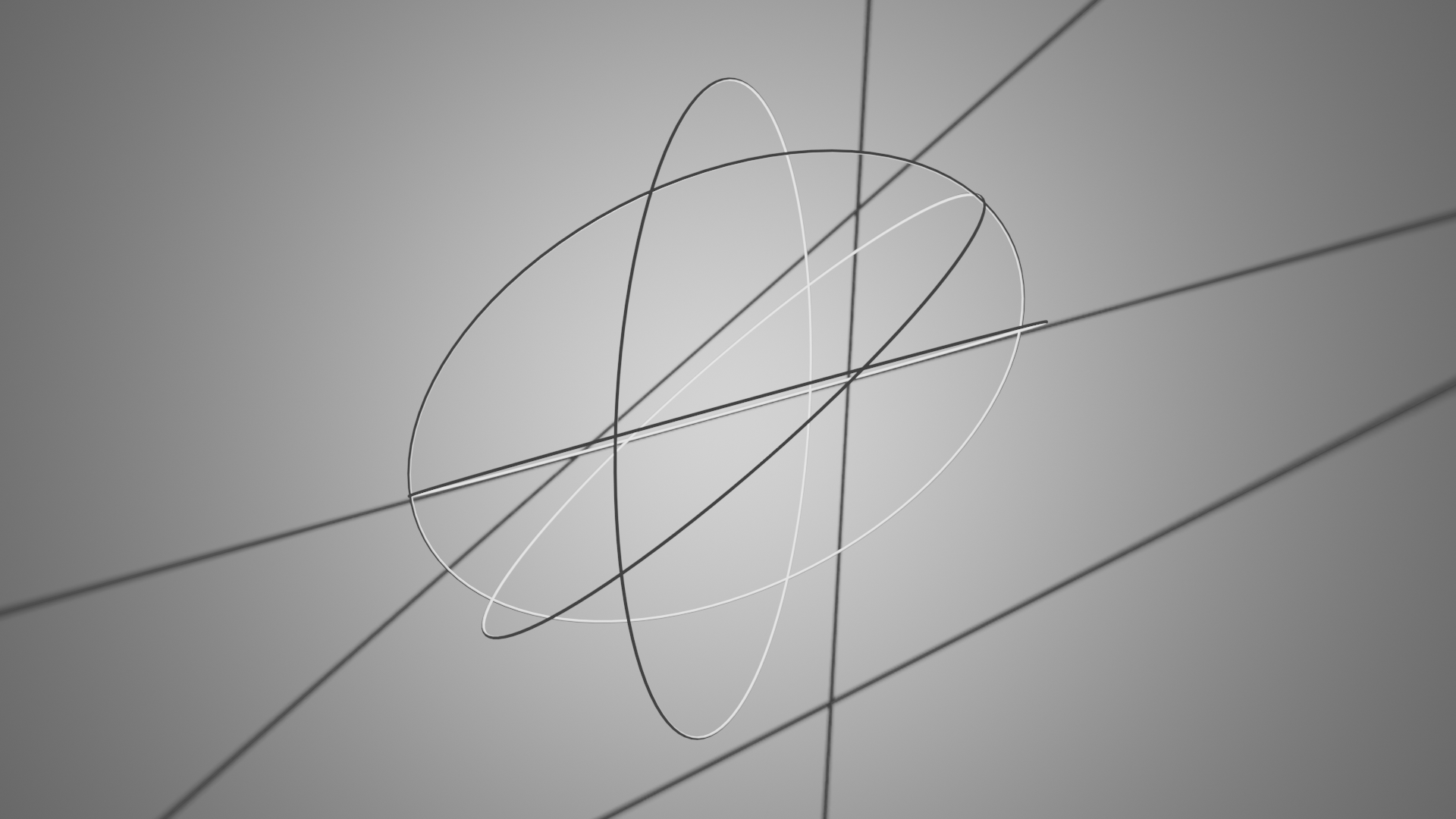
In this example we will generate random lines (represented as planes)
in a projective plane and visualize their intersections with a sphere
and the projective plane in a Blender 3D scene.
It’s a combination of geometric calculations and Blender scripting for
You can see the full code at
lines_in_a_projective_plane.py.
Setup
We start off by importing the necessary libraries.
# Import necessary libraries
import bpy
import numpy as np

import ddg
from ddg.blender.scene import clear
We are also going to clear the whole scene.
# Clear the existing objects in the Blender scene
clear()
Blender Collections
We create three Blender collections: rendering_coll for lights and cameras,
gc_coll for great circles, and plane_coll for plane intersections.
# Create Blender collections for organizing objects
rendering_coll = ddg.blender.collection.collection("light and camera")
gc_coll = ddg.blender.collection.collection("great_circles")
plane_coll = ddg.blender.collection.collection("plane_intersections")
Geometric Calculations
Now we are going to generate random points on a unit sphere and calculate the corresponding planes using these points as normals. These planes are represented in the projective space.
# Generate N random normals and calculate corresponding planes
N = 4
seed = 59232
normals = [ddg.math.random.random_point_on_sphere(2, i * seed) for i in range(N)]
planes = [
    ddg.geometry.hyperplane_from_normal(normal, point=(0, 0, 0)) for normal in normals
]
Next we create a unit sphere (\(S^2\)) and a projective plane. The sphere is represented as a quadric, and the projective plane is represented as a hyperplane.
# Create a unit sphere (S2) and a projective plane
s2 = ddg.geometry.Quadric(np.diag([1, 1, 1, -1]))
bobj_s2 = ddg.blender.convert(s2, "s2")

projective_plane = ddg.geometry.hyperplane_from_normal((-1, 0, 0), point=(1.5, 0, 0))
Geometric Intersections
For each randomly generated plane,
we calculate the intersection of the plane with the sphere (circ_on_sphere)
and the intersection with the projective plane (meet_plane).
These intersections are then visualized.
# Calculate intersections of the random planes with S2 and the projective plane
for i, plane in enumerate(planes):
    circ_on_sphere = ddg.geometry.meet(plane, s2)
    meet_plane = ddg.geometry.meet(plane, projective_plane)

    # Orthonormalize the intersection plane
    meet_plane = ddg.geometry.Subspace.orthonormalize(meet_plane)

    if circ_on_sphere.dimension != -1:
        # Create Blender objects for circles on the sphere
        bobj_circ_on_sphere = ddg.blender.convert(
            circ_on_sphere,
            f"spheric circle {i}",
            collection=gc_coll,
        )
        bobj_circ_on_sphere.data.bevel_depth = 0.005

    if meet_plane.dimension != -1:
        # Create Blender objects for plane intersections
        bobj_meet_plane = ddg.blender.convert(
            meet_plane,
            f"plane intersection {i}",
            collection=plane_coll,
        )
        bobj_meet_plane.data.bevel_depth = 0.005
Finally we can visualize it in Blender.
bobjprojective = ddg.blender.convert(projective_plane, "Projective plane")
Add Camera and Light
Awesome, so if we run this now, we see something in the Editor! However, for rendering we need a camera and a light. Let’s add those.
# Add a point light and a camera to the scene
light = ddg.blender.light.light(type_="POINT", collection=rendering_coll)
light.data.energy = 500
light.data.shadow_soft_size = 0
camera = ddg.blender.camera.camera(location=(-6, 0, 0), collection=rendering_coll)

# Position the camera to look at the projective plane
ddg.blender.camera.look_at_point(camera, (1.5, 0, 0))
bpy.context.scene.camera = camera
Add Materials
Finally let’s assign materials to the projective plane and the sphere. We assign the projective plane a color.
# Add a material to the projective plane
project_mat = ddg.blender.material.material(color=(0.8, 0.56, 0.535))
ddg.blender.material.set_material(bobjprojective, project_mat)
The sphere will get a color with transparency.
# Create a material for the sphere (S2) with transparency
s2material = bpy.data.materials.new("s2 material")
s2material.use_nodes = True
s2material.node_tree.nodes.remove(s2material.node_tree.nodes.get("Principled BSDF"))
transparent = s2material.node_tree.nodes.new("ShaderNodeBsdfTransparent")
transparent.inputs["Color"].default_value = (0.5, 0.5, 0.5, 1.0)
s2material.node_tree.links.new(
    transparent.outputs["BSDF"],
    s2material.node_tree.nodes["Material Output"].inputs["Surface"],
)
ddg.blender.material.set_material(bobj_s2, s2material)
That’s it! You should be able to just put that in your blender code editor and simply execute it.