Minimal (Maximal) Surfaces from Weierstrass Data – The Schwarz P surface
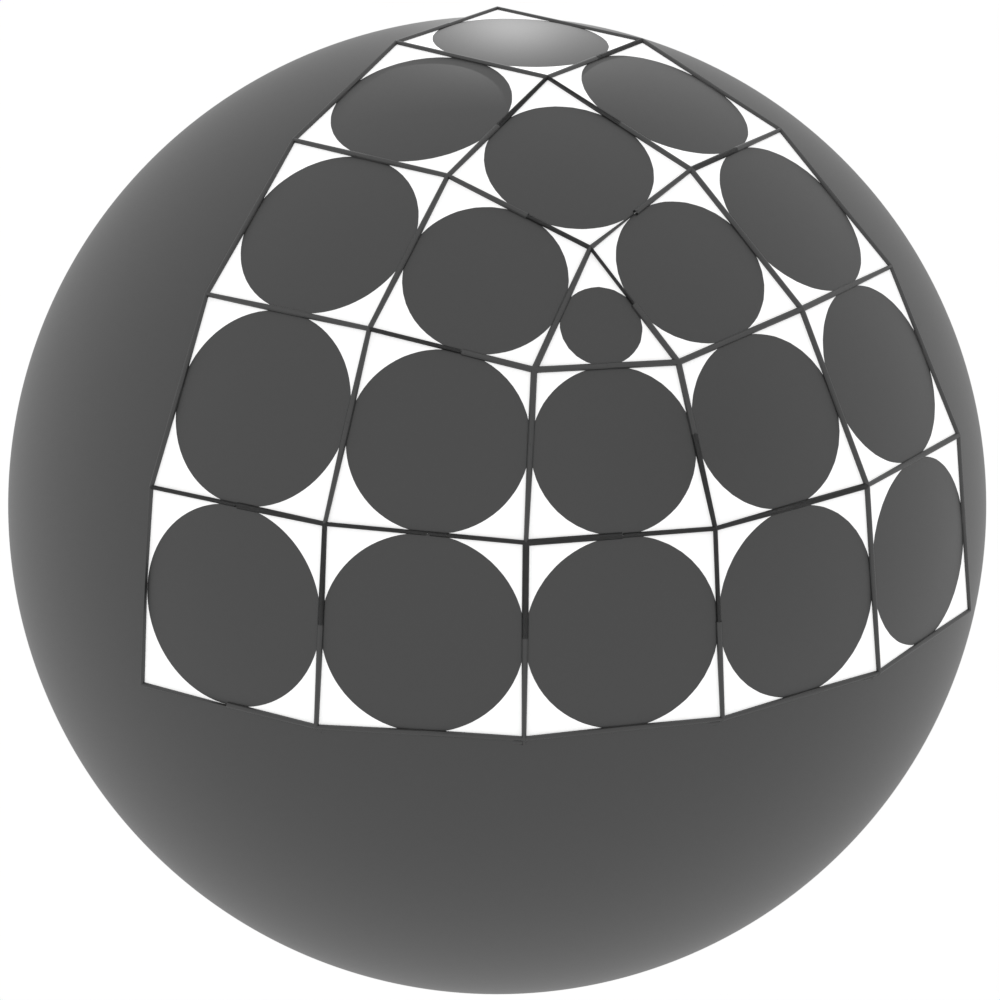
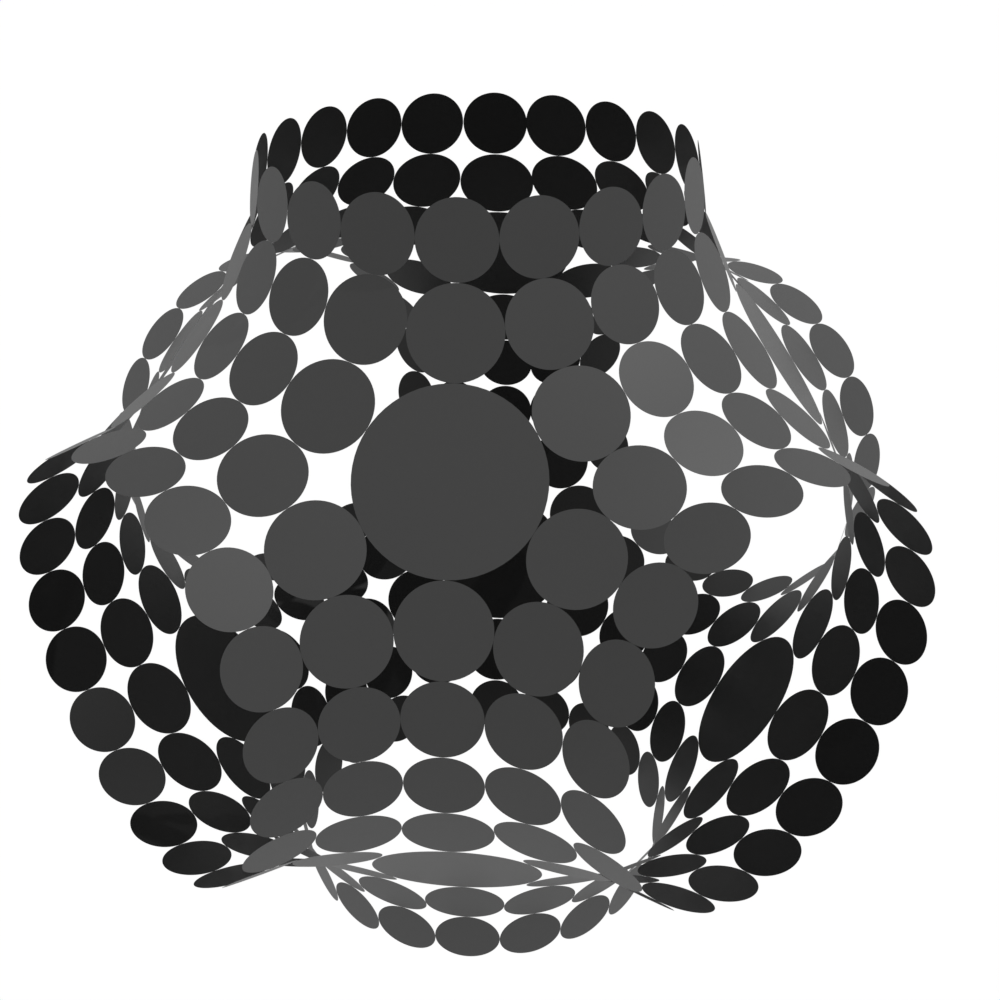
In this example, we will construct the discrete S-isothermic minimal Schwarz-P surface from discrete Weierstrass data. We can use the same code to construct the spacelike S-isothermic maximal Schwarz-P surface in Lorentz-Minkowski space \(\mathbb{R}^{2,1}\).
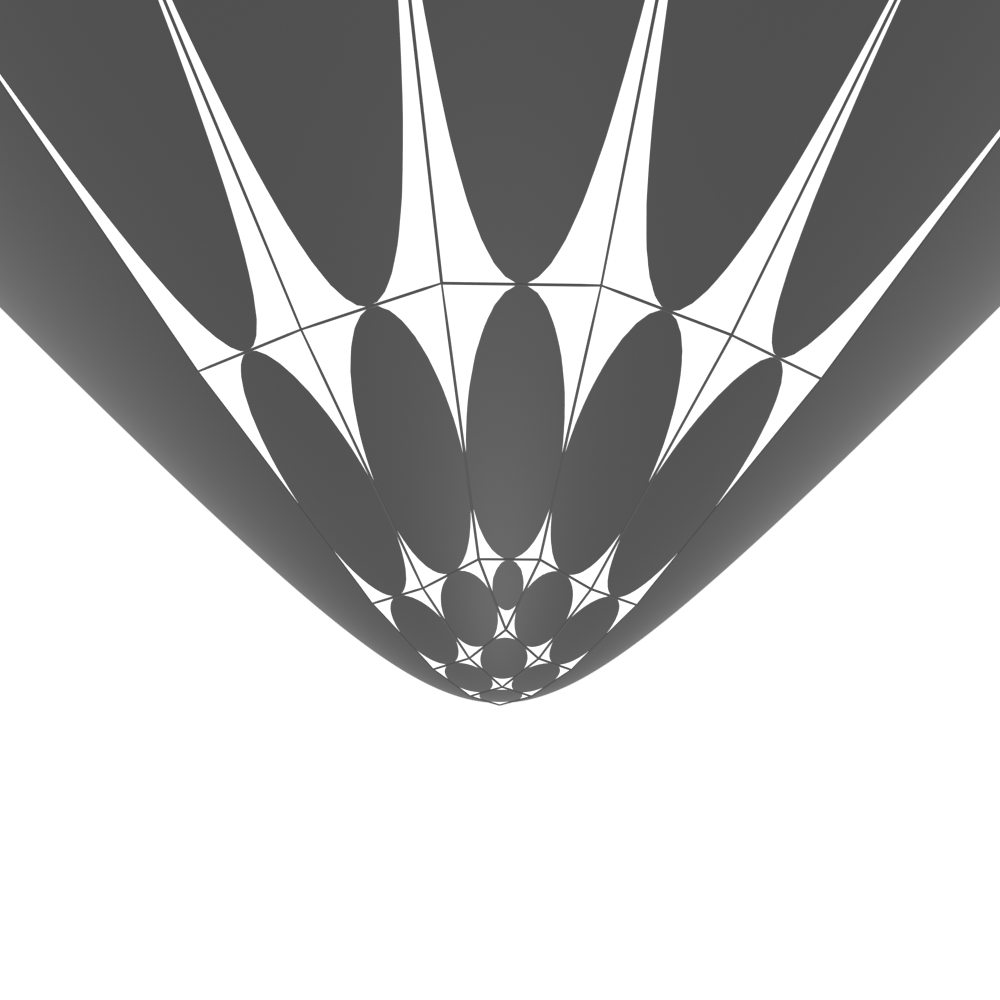
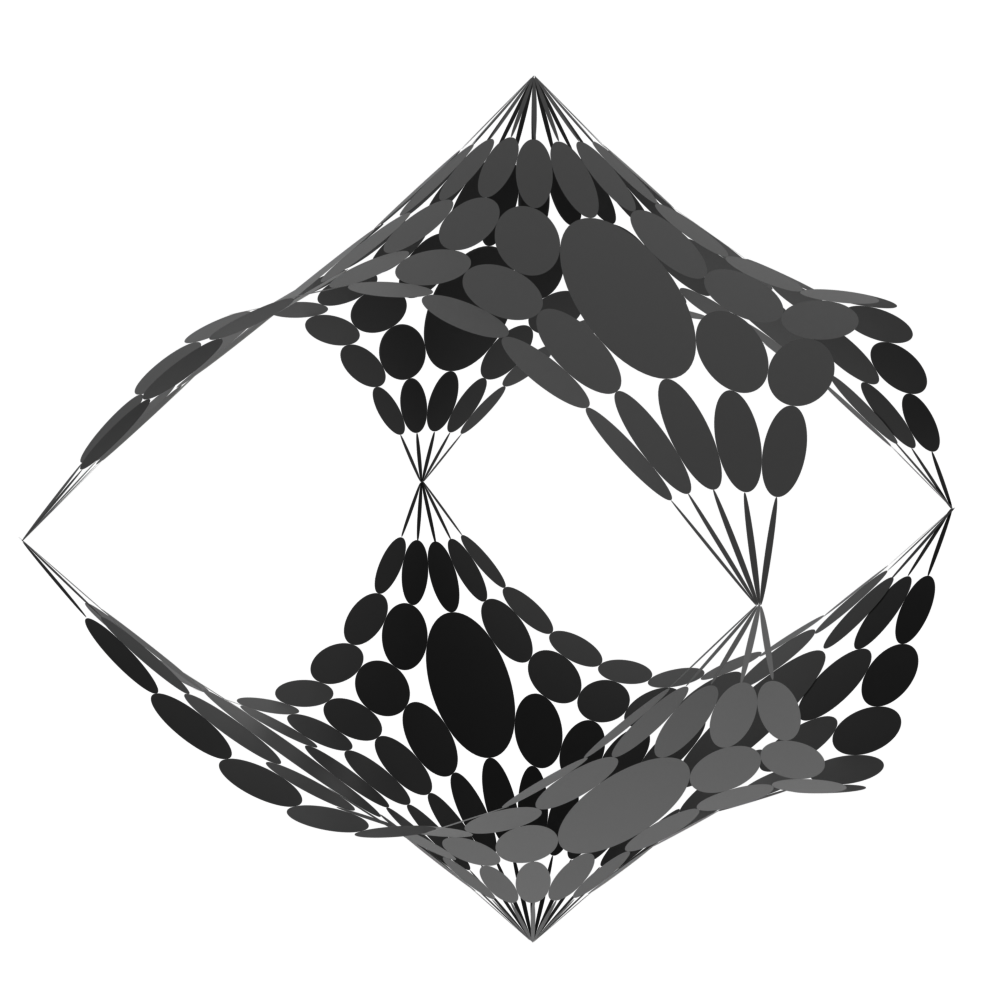
We use essentially the same script as in this example, where we have constructed another discrete minimal surface, the catenoid, from discrete Weierstrass data. However, in this example the discrete Weierstrass data is a piece of the \(\mathbb{Z}^{2}\) square lattice, it has corners which need a specific treatment. Moreover, the given discrete Weierstrass data originates from the minimization of a functional and thus is not as explicit as the Weierstrass data of the catenoid. We also need to take this into account. To get started we refer to the easier example of the catenoid.
You can download the full script
minimal_schwarz_p.py
and obj files storing the central extension (see below)
of the discrete Schwarz P surface in Euclidean
schwarz_p_euc.obj
or Lorentz-Minkowski space
schwarz_p_lor.obj.
You can also download the discrete Weierstrass data that we use for the
construction of the surface
weierstrass_schwarz_p.obj.
It is an orthogonal circle pattern given in the same way as in the
catenoid example: half of its vertices correspond to
circle centers of an orthogonal circle pattern, the other half to their touching points.
Setup
We begin by importing the required modules, clearing the Blender scene, and defining the unit sphere and the dot product.
# From discrete Weierstrass data (orthogonal circle pattern)
# to an S-isothermic minimal surface
import os

import bpy
import numpy as np

import ddg

# Clear the Blender scene
ddg.blender.scene.clear(deep=True)

# geo = "euc"
geo = "lor"

if geo == "euc":
    us = ddg.geometry.Quadric(np.diag([1.0, 1.0, 1.0, -1.0]))

    def dot(u, v):
        return u[0] * v[0] + u[1] * v[1] + u[2] * v[2]


if geo == "lor":
    us = ddg.geometry.Quadric(np.diag([1.0, 1.0, -1.0, 1.0]))

    def dot(u, v):
        return u[0] * v[0] + u[1] * v[1] - u[2] * v[2]


# Point of stereographic projection
N = ddg.geometry.Point([0, 0, -1.0, 1.0])
This example can easily be modified to create a maximal surface in Lorentz-Minkowski space.
We simply need to choose the geometry to be "lor".
We load the Weierstrass data (for \(\mathbb{R}^{2,1}\) it must lie inside the Poincaré disc)
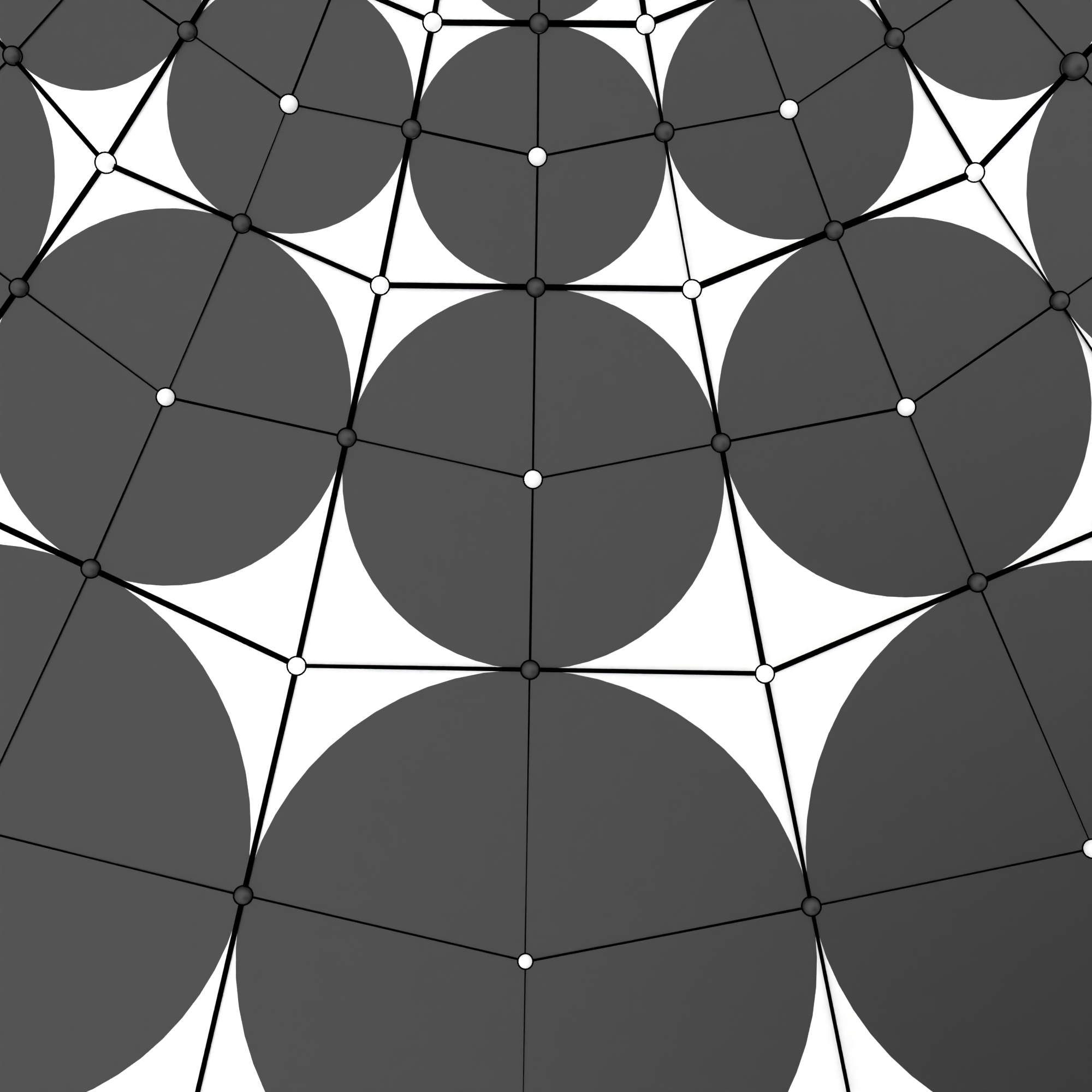
from an .obj file. Its vertices divide into white and
black vertices, corresponding to cirlce centers and touching points respectively.
# ================================================================
# Load data
# ================================================================
dir = os.path.dirname(os.path.realpath(__file__))
combinatorics = ddg.conversion.halfedge.obj.obj_to_hds(
    f"{dir}/weierstrass_schwarz_p.obj"
)
Preparation
We prepare our data. We color the vertices and black and white (b and w),
and the white ones again in ws and wc vertices.
The bi-coloring of the white vertices distinguishes which white vertices
will become spheres (ws) and which will become circles (wc) of the
S-isothermic surface. The black vertices will be the touching points.
# ================================================================
# Color vertices
# ================================================================
# Divide vertices in black and white vertices and the white ones again, to
# distinguish which will become spheres and which will become circles.
ddg.halfedge.bicolor_vertices(combinatorics, colors=["w", "b"])
white_verts = [v for v in combinatorics.verts if v.color == "w"]
black_verts = [v for v in combinatorics.verts if v.color == "b"]

verts = sorted(list(combinatorics.verts), key=lambda v: v.index)
white_net = ddg.halfedge.diagonals(combinatorics)[0]
assert verts[ddg.halfedge.some_vertex(white_net).old_index].color == "w"

ddg.halfedge.bicolor_vertices(white_net, colors=["wc", "ws"])
combinatorics.verts.add_attribute("white_type", None)
for v in white_net.verts:
    verts[v.old_index].white_type = "wc" if v.color == "wc" else "ws"
Project to a Koebe net
We want to construct an S-isothermic Koebe net, tangential to the unit sphere,
with white sphere centers ws and white circle centers wc.
For the Koebe net, black points will be the points of tangency, so
we project all of the black points to the unit sphere. We can compute
all of the white points to be the the points polar to the planes that contain
all adjacent black points. For the sphere centers ws these are the correct points.
For the circle centers wc there is an easy formula to obtain the correct points
from the polar points we have constructed before.
In contrast to the catenoid example, we take least square subspaces to compensate numerical inaccuracy and we introduce a specific treatment for vertices in the corners.
# ================================================================
# Project to Koebe net
# ================================================================
# Construct the central extension of a Koebe net: black vertices are
# the points of tangency, they lie in 'us'. White 'ws' vertices are
# sphere centers outside of 'us' and white 'wc' are circle centers inside 'us'.
combinatorics.verts.add_attribute("koebe_co")

for b in black_verts:
    proj = ddg.geometry.inverse_stereographic_project(
        ddg.geometry.Point([*b.co, 1], atol=1e-15, rtol=0.0), us, N
    )
    b.koebe_co = proj.affine_point


# For vertices on the corner we can not take the least square subspace since
# they only have two neighbours. We treat them seperately
ddg.halfedge.set_minimal_valency_attr(
    combinatorics, "verts", "is_corner", [True, False]
)

corner_verts = [
    v for v in combinatorics.verts if v.is_corner is True and v.color == "w"
]
no_corner_verts = [
    v for v in combinatorics.verts if v.is_corner is False and v.color == "w"
]

for w in no_corner_verts:
    neighbors = [e.head for e in ddg.halfedge.out_edges(w)]
    plane = ddg.geometry.least_square_subspace(
        [ddg.geometry.Point([*b.koebe_co, 1]) for b in neighbors], k=2
    )
    w.koebe_co = us.polarize(plane).affine_point
    if w.white_type == "wc":
        w.koebe_co = w.koebe_co / np.abs(dot(w.koebe_co, w.koebe_co))

# Intersect tangent lines to obtain corner vertices
for w in corner_verts:
    assert w.white_type == "ws"
    lines = []
    for e in ddg.halfedge.out_edges(w):
        if not ddg.halfedge.is_boundary_edge(e):
            v2 = e.opp.pre.tail
        else:
            assert ddg.halfedge.is_boundary_edge(e)
            v2 = e.nex.head
        lines.append(
            ddg.geometry.subspace_from_affine_points(
                e.head.koebe_co, v2.koebe_co, atol=1e-5, rtol=1e-5
            )
        )
    pt = ddg.geometry.intersect(*lines)
    w.koebe_co = pt.affine_point
Dualize
Now we want to compute the Christoffel dual of the Koebe net. It is known that the central extension of an S-isothermic surface is a discrete isothermic (factorizing face cross-ratio) surface. The discrete one-form for the Christoffel dual of an isothermic surface is \(\partial c^* (v, v') = \pm \frac{\partial c (v, v') }{|\partial c (v, v') |^2}\) for all edges \((v, v')\). We initialize the Christoffel dual by associating new edges to the old ones, which we determine by the formula above. We also need to bi-color the edges, as half the edges change direction in the Christoffel dual. We can verify that the one-form closes, and then integrate it by specifying a starting vertex, its position, and the name of the new vertex attribute to store the coordinates of the dual surface. Note that we also multiply by a global scaling.
# ================================================================
# Christoffel dual
# ================================================================
# Set attribute storing edges of the Christoffel dual (with global scaling)
ddg.halfedge.bicolor_edges(combinatorics, "color", [1, -1])
combinatorics.edges.add_attribute("new_edge")

for e in combinatorics.edges:
    diff = e.head.koebe_co - e.tail.koebe_co
    normsq = dot(diff, diff)
    e.new_edge = (1 / normsq) * diff * e.color / 70

# Define boundary vertices where the integration of the one-form stops proceeding
combinatorics.verts.add_attribute("bdy")
for v in combinatorics.verts:
    if ddg.halfedge.is_boundary_vertex(v) and np.isclose(np.linalg.norm(v.co), 1.0):
        v.bdy = True

# Construct Christoffel dual
ddg.halfedge.verify_closure_one_form(combinatorics, "new_edge", tol=1e-3)
combinatorics = ddg.halfedge.integrate_one_form(
    combinatorics,
    ddg.halfedge.some_vertex(combinatorics),
    np.array([5.0, 1.0, 1.5]),
    "dual_co",
    "new_edge",
    boundary_attr="bdy",
)
The resulting maximal surface is the central extension of an S-isothermic surface. One family of white vertices forms the S-isothermic surface. The other white vertices are again the circle centers.
Note that the resulting surfaces is only a fundamental piece of the discrete Schwarz P surface.
Other pieces of the surface can be obtained by reflecting the fundamental piece.
We have applied the corresponding reflection in a separate script, which is not included in
our examples yet. However, the provided .obj files contain the data of the surfaces
shown in the figures above.
Visualization
In the visualization step, we can render various objects. For a more detailed visualization of the weierstrass data , see the s-exp example.
# ================================================================
# Visualize
# ================================================================
primal = ddg.halfedge.diagonals(ddg.halfedge.diagonals(combinatorics)[0])[1]

black = ddg.blender.material.material(color=(0.0, 0.0, 0.0), name="black")
white = ddg.blender.material.material(color=(1.0, 1.0, 1.0), name="white")

ddg.blender.edges(combinatorics, "weierstrass", radius=0.005, material=black)

bobj_us = ddg.blender.convert(
    ddg.arrays.from_quadric(us, (300, 0.025), (300, 0.025)),
    "unit_sphere",
    material=black,
)
with ddg.blender.bmesh.bmesh_from_mesh(bobj_us.data) as bm:
    ddg.blender.bmesh.cut_bounding_box(
        bm, np.array([np.inf, np.inf, 3]), np.array([0, 0, 2])
    )

ddg.blender.convert(
    ddg.arrays.from_half_edge_surface(combinatorics, "koebe_co"),
    "koebe_primal",
    material=white,
)
ddg.blender.edges(
    ddg.arrays.from_half_edge_surface(combinatorics, "koebe_co"),
    "koebe_edges",
    radius=0.005,
    material=black,
)

# ddg.blender.convert(
#    ddg.arrays.from_half_edge_surface(primal, "dual_co"), "max_primal", material=white
# )

ddg.blender.edges(
    ddg.arrays.from_half_edge_surface(primal, "dual_co"),
    "max_primal_edges",
    radius=0.005,
    material=black,
)
We can also visualize the touching face circles of the surface in a way that works for the Euclidean as well as for the Lorentzian case.
# ================================================================
# Visualize face circles
# ================================================================
# For an orthonormal basis (u,w) of a planar face we can use a circle
# parameterization function to compute the incircle
# of the face and convert it to a disc.

for v in combinatorics.verts:
    if v.white_type == "wc" and not ddg.halfedge.is_boundary_vertex(v):
        e = next(ddg.halfedge.out_edges(v))
        u = e.head.dual_co - v.dual_co
        w = e.nex.head.dual_co - e.head.dual_co

        u /= np.sqrt(dot(u, u))
        w /= np.sqrt(dot(w, w))

        r = np.mean(
            [
                np.sqrt(dot(v.dual_co - e.head.dual_co, v.dual_co - e.head.dual_co))
                for e in ddg.halfedge.out_edges(v)
            ]
        )

        def circle(theta):
            return v.dual_co + r * np.cos(theta) * u + r * np.sin(theta) * w

        cos = [circle(t) for t in np.arange(0, 2 * np.pi, 0.1)]

        disc = ddg.halfedge.Surface()
        disc.add_face(len(cos))
        disc.verts.add_attribute("co")
        for vert in disc.verts:
            setattr(vert, "co", cos[vert.index])

        ddg.blender.convert(disc, f"face_circle_{v.index}", material=black)
OBJ Export and Rendering Setup
The remaining part of the file contains code for exporting an OBJ file and setting up rendering options.