Lines in a Projective Plane
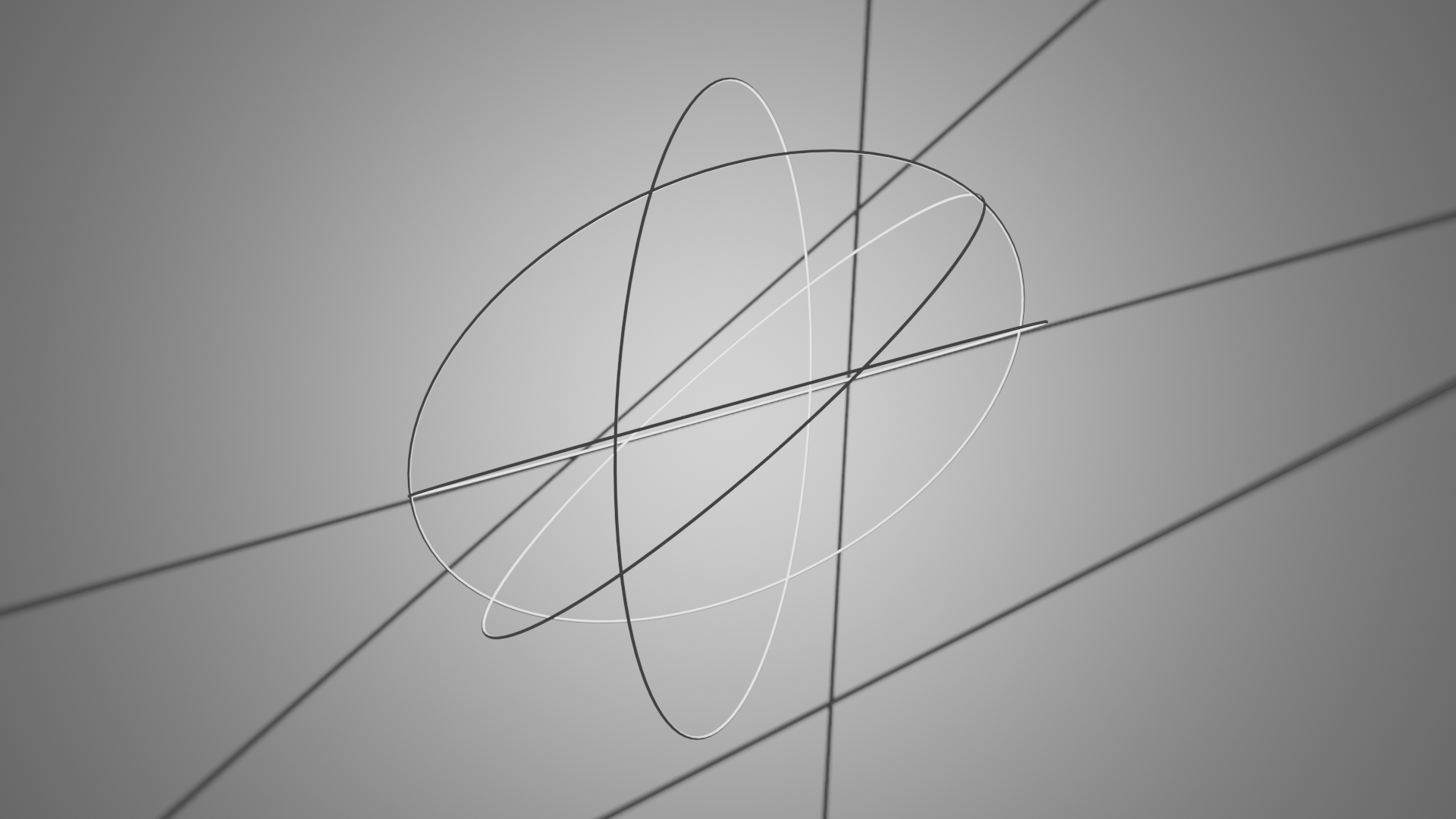
In this example we will generate random lines (represented as planes)
in a projective plane and visualize their intersections with a sphere
and the projective plane in a Blender 3D scene.
It’s a combination of geometric calculations and Blender scripting for visualization.
You can see the full code at
lines_in_a_projective_plane.py.
Setup
We start off by importing the necessary libraries.
# Import necessary libraries
import bpy
import numpy as np

import ddg
import ddg.geometry.intersection
import ddg.geometry.quadrics
import ddg.geometry.subspaces
import ddg.math.random
import ddg.visualization.blender.camera
import ddg.visualization.blender.collection
import ddg.visualization.blender.light
import ddg.visualization.blender.material
import ddg.visualization.blender.mesh
from ddg.visualization.blender.scene import clear
We are also going to clear the whole scene.
# Clear the existing objects in the Blender scene
clear()
Blender Collections
We create three Blender collections: rendering_coll for lights and cameras,
gc_coll for great circles, and plane_coll for plane intersections.
# Create Blender collections for organizing objects
rendering_coll = ddg.visualization.blender.collection.collection("light and camera")
gc_coll = ddg.visualization.blender.collection.collection("great_circles")
plane_coll = ddg.visualization.blender.collection.collection("plane_intersections")
Geometric Calculations
Now we are going to generate random points on a unit sphere and calculate the corresponding planes using these points as normals. These planes are represented in the projective space.
# Generate N random normals and calculate corresponding planes
N = 4
seed = 59232
normals = [ddg.math.random.random_point_on_sphere(2, i * seed) for i in range(N)]
planes = [
    ddg.geometry.subspaces.hyperplane_from_normal(normal, point=(0, 0, 0))
    for normal in normals
]
Next we create a unit sphere (\(S^2\)) and a projective plane. The sphere is represented as a quadric, and the projective plane is represented as a hyperplane.
# Create a unit sphere (S2) and a projective plane
s2 = ddg.geometry.quadrics.Quadric(np.diag([1, 1, 1, -1]))
bobj_s2 = ddg.to_blender_object_helper(s2, sampling=[0.1, 40, "c"], name="s2")

projective_plane = ddg.geometry.subspaces.hyperplane_from_normal(
    (-1, 0, 0), point=(1.5, 0, 0)
)
Geometric Intersections
For each randomly generated plane,
we calculate the intersection of the plane with the sphere (circ_on_sphere)
and the intersection with the projective plane (meet_plane).
These intersections are then visualized.
# Calculate intersections of the random planes with S2 and the projective plane
for plane in planes:
    circ_on_sphere = ddg.geometry.intersection.meet(plane, s2)
    meet_plane = ddg.geometry.intersection.meet(plane, projective_plane)

    # Orthonormalize the intersection plane
    meet_plane = ddg.geometry.subspaces.Subspace.orthonormalize(meet_plane)

    if circ_on_sphere.dimension != -1:
        # Create Blender objects for circles on the sphere
        bobj_circ_on_sphere = ddg.to_blender_object_helper(
            circ_on_sphere,
            name="spheric circle",
            sampling=[0.1, 100, "c"],
            curve_properties={"bevel_depth": 0.005},
            collection=gc_coll,
        )

    if meet_plane.dimension != -1:
        # Create Blender objects for plane intersections
        bobj_meet_plane = ddg.to_blender_object_helper(
            meet_plane,
            name="plane intersection",
            sampling=[0.1, 100, "c"],
            curve_properties={"bevel_depth": 0.005},
            collection=plane_coll,
        )
Finally we can visualize it in Blender.
bobjprojective = ddg.to_blender_object_helper(
    projective_plane, sampling=[0.1, 100, "c"], name="Projective plane"
)
Add Camera and Light
Awesome, so if we run this now, we see something in the Editor! However, for rendering we need a camera and a light. Let’s add those.
# Add a point light and a camera to the scene
light = ddg.visualization.blender.light.light(type_="POINT", collection=rendering_coll)
light.data.energy = 500
light.data.shadow_soft_size = 0
camera = ddg.visualization.blender.camera.camera(
    location=(-6, 0, 0), collection=rendering_coll
)

# Position the camera to look at the projective plane
ddg.visualization.blender.camera.look_at_point(camera, (1.5, 0, 0))
bpy.context.scene.camera = camera
Add Materials
Finally let’s assign materials to the projective plane and the sphere. We assign the projective plane a color.
# Add a material to the projective plane
project_mat = ddg.visualization.blender.material.material(color=(0.8, 0.56, 0.535))
ddg.visualization.blender.material.set_material(bobjprojective, project_mat)
The sphere will get a color with transparency.
# Create a material for the sphere (S2) with transparency
s2material = bpy.data.materials.new("s2 material")
s2material.use_nodes = True
s2material.node_tree.nodes.remove(s2material.node_tree.nodes.get("Principled BSDF"))
transparent = s2material.node_tree.nodes.new("ShaderNodeBsdfTransparent")
transparent.inputs["Color"].default_value = (0.5, 0.5, 0.5, 1.0)
s2material.node_tree.links.new(
    transparent.outputs["BSDF"],
    s2material.node_tree.nodes["Material Output"].inputs["Surface"],
)
ddg.visualization.blender.material.set_material(bobj_s2, s2material)
That’s it! You should be able to just put that in your blender code editor and simply execute it.